Browser spacing study
Measure repeat spacing at responsive widths
A controlled Chrome study records how four CSS repeat intervals fit inside the same responsive dot-pattern field.

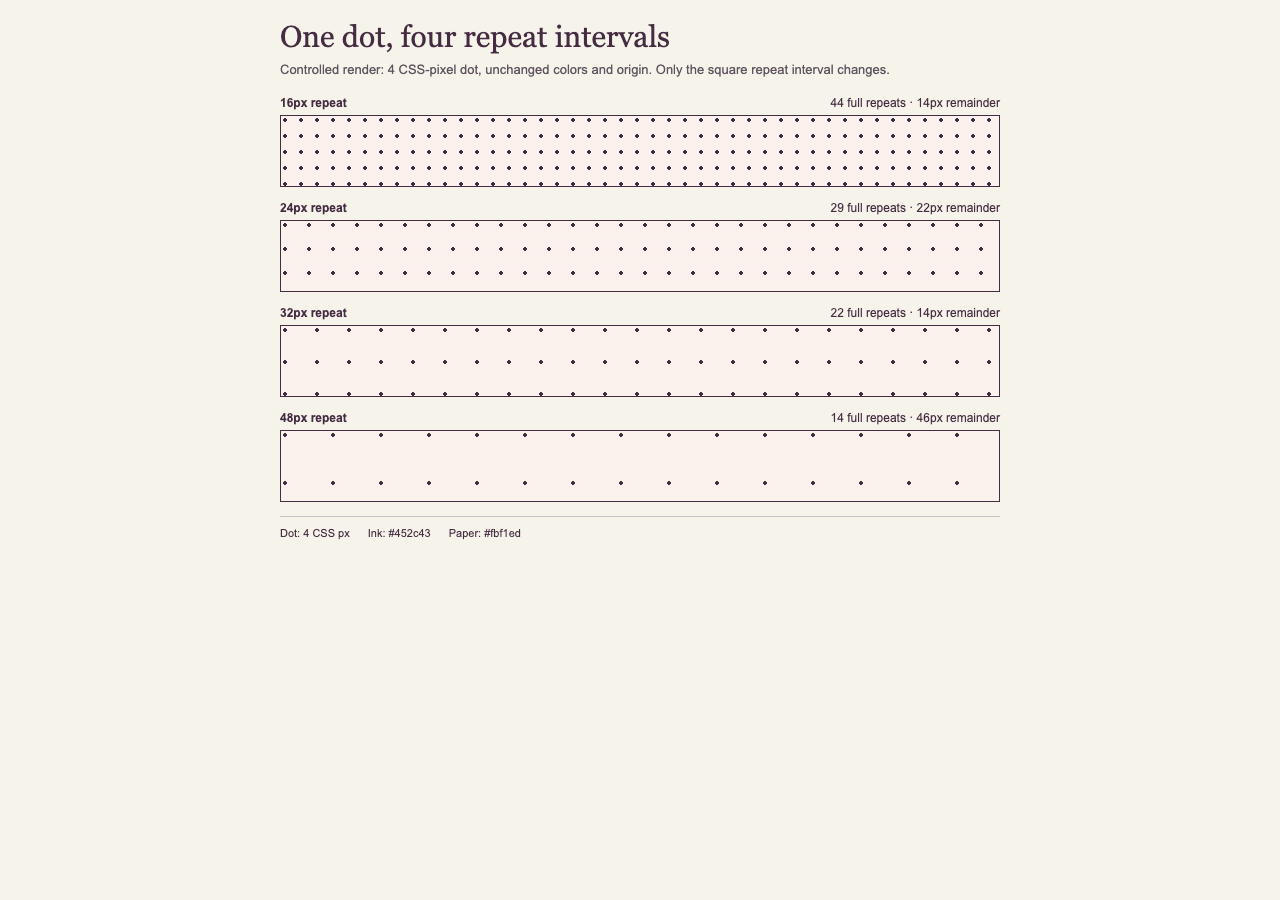
This controlled browser study asks one narrow question: when a 4 CSS-pixel dot stays fixed, how do 16, 24, 32, and 48 CSS-pixel repeat intervals fit across the same wide and narrow fields? The record includes the browser-computed background size, field width, full horizontal repeats, and right-edge remainder for each condition.
The study belongs to Brighter Workshop, published by Awesome Patel in Chicago. Use Pattern Studio to explore your own pattern, and browse the field guides for the surrounding implementation decisions.
Set one variable and hold the rest still
The independent variable was the square CSS background repeat interval: 16, 24, 32, or 48 CSS pixels. Every field used the same radial-gradient dot, 4 CSS pixels in diameter, with #452c43 ink on #fbf1ed paper. Background position stayed at 0px 0px, each field had a 1 CSS-pixel border, and Chrome ran at device scale factor 1.
The automated fixture requested 1280 by 900 and 500 by 844 screenshot windows. Chrome reported inner viewports of 1280 by 813 and 500 by 757 CSS pixels. After borders were removed, the pattern content boxes measured 718 CSS pixels in the wide run and 458 CSS pixels in the narrow run. The runner read getComputedStyle() and getBoundingClientRect() after load, wrote the measurements to JSON and CSV, and captured both rendered states.
The run used Google Chrome 153.0.8010.48 on arm64 macOS. The browser user agent, exact controls, timestamp, screenshots, and every sample row are preserved in the downloadable observation record.
| Variable | Recorded value |
|---|---|
| Dot diameter | 4 CSS px |
| Repeat intervals | 16, 24, 32, and 48 CSS px |
| Colors | #452c43 on #fbf1ed |
| Measured content widths | 718 CSS px wide; 458 CSS px narrow |
| Browser | Google Chrome 153.0.8010.48 |
Sources: MDN: background-size
Read the recorded geometry
At 718 CSS pixels, the 16-pixel repeat fit 44 complete intervals with 14 pixels left at the right edge. The 24-pixel repeat fit 29 with 22 pixels left; 32 fit 22 with 14 left; and 48 fit 14 with 46 left. None ended exactly on the measured content-box boundary.
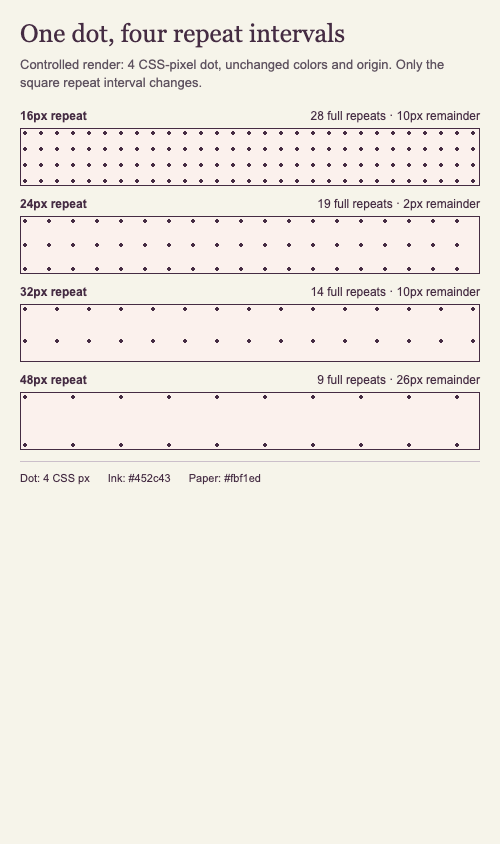
At 458 CSS pixels, the recorded counts were 28 plus a 10-pixel remainder, 19 plus 2, 14 plus 10, and 9 plus 26 for the 16-, 24-, 32-, and 48-pixel intervals respectively. In this narrow condition, the 24-pixel interval came closest to the edge boundary, but that is a property of 458 divided by 24 rather than a general advantage of that interval.
| Field width | Repeat interval | Full repeats | Right-edge remainder |
|---|---|---|---|
| 718 | 16 | 44 | 14 CSS px |
| 718 | 24 | 29 | 22 CSS px |
| 718 | 32 | 22 | 14 CSS px |
| 718 | 48 | 14 | 46 CSS px |
| 458 | 16 | 28 | 10 CSS px |
| 458 | 24 | 19 | 2 CSS px |
| 458 | 32 | 14 | 10 CSS px |
| 458 | 48 | 9 | 26 CSS px |
Compare the narrow render
The narrow capture uses the same CSS fixture and changes only the available window. Chrome's responsive rule reduces each pattern field from 70 to 56 CSS pixels high below 500 CSS pixels; the raw record keeps that height change explicit. The repeat interval and 4-pixel dot do not change.
The rightmost repeat is partial in every narrow sample. That visible edge is expected for a repeating background whose content width is not an exact multiple of the tile interval. A different container width can move the cutoff without any change to the pattern itself.
Use the result without overgeneralizing it
A larger repeat interval lowered the number of complete horizontal repeats because the mark stayed the same while more space surrounded it. The run documents that geometric change. It does not establish that one density is calmer, clearer, more attractive, or easier to read.
Edge alignment also changed with field width. The 24-pixel interval left 22 pixels in the 718-pixel field and only 2 pixels in the 458-pixel field. Responsive containers therefore need to be observed at their actual widths. Selecting a repeat interval because it closes neatly in one mockup does not guarantee the same closure elsewhere.
For a real page, place reading content on its intended surface, resize through relevant layouts, and record what happens at the edge. If a boundary must land predictably, size or clip the patterned region deliberately instead of assuming a responsive width will remain divisible by the repeat interval.
Repeat the study
From the publication checkout, run npm run study:spacing-rhythm. The runner creates a temporary local fixture, opens the installed Chrome executable in headless mode, measures the fields, and replaces the two screenshots and raw observation files together. It does not deploy, submit URLs, or call an analytics service.
Treat a rerun as a new evidence version when the browser, fixture, controlled variables, or conclusions change. Review the generated screenshots and data before updating this article. Keep the article date, manifest, citation version, and correction history synchronized with any material change.
Limits
This record covers one Chrome build on one macOS machine. It does not establish rendering parity in Safari, Firefox, other operating systems, other device scale factors, print, zoom, or forced-colors modes.
The counts describe whole repeat intervals across one axis. They do not quantify visual balance, crowding, legibility, contrast, motion, user preference, or accessibility. Screenshot resizing can also change how the four-pixel marks appear, so use the raw CSS-pixel measurements for the numeric comparison.
Version and corrections
Version 1.0.0 was published on September 16, 2026 with Chrome 153.0.8010.48 observations, two screenshots, and matching JSON and CSV files.
Corrections: none recorded. Future material corrections will be listed here with the changed claim, date, and evidence version; the page's updated date will change at the same time.